Improvement to completion rate
Improved conversation completion rate by 33% after design updates.
Created an AI chatbot that improved completion by 33% and gained beta launch approval.
Imagine learning a new language in just six weeks, then moving abroad to teach and communicate daily. That is the challenge missionaries face at the MTC.
To prepare, they use Embark, our in-house language-learning app. It covered vocabulary and grammar, but offered no way to practice speaking on their own.
This case study shows how I designed an AI chatbot that enabled real conversation practice, improved completion rates by 33%, and earned stakeholder approval for beta launch.
Improved conversation completion rate by 33% after design updates.
Greenlit by key stakeholders.
Embark offered strong tools for learning vocabulary, grammar, and listening comprehension, but no way to practice conversations independently. Missionaries could speak during class, but lacked flexible, on-demand speaking practice that fit their schedule and needs.
We explored two design directions for how missionaries could practice conversations: one focused on flexibility, the other on guided progression.
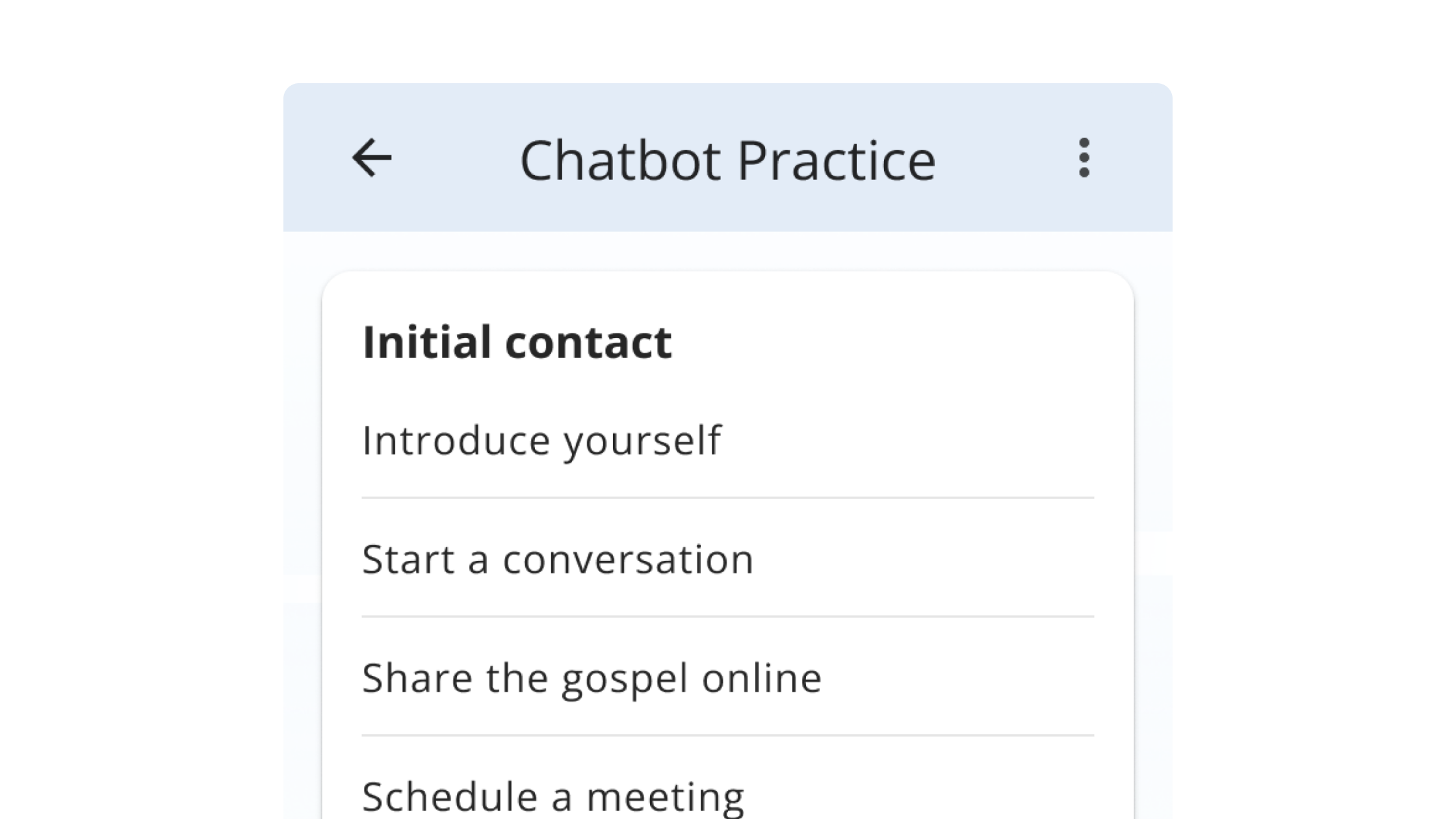
Repeatable, mission-specific conversations
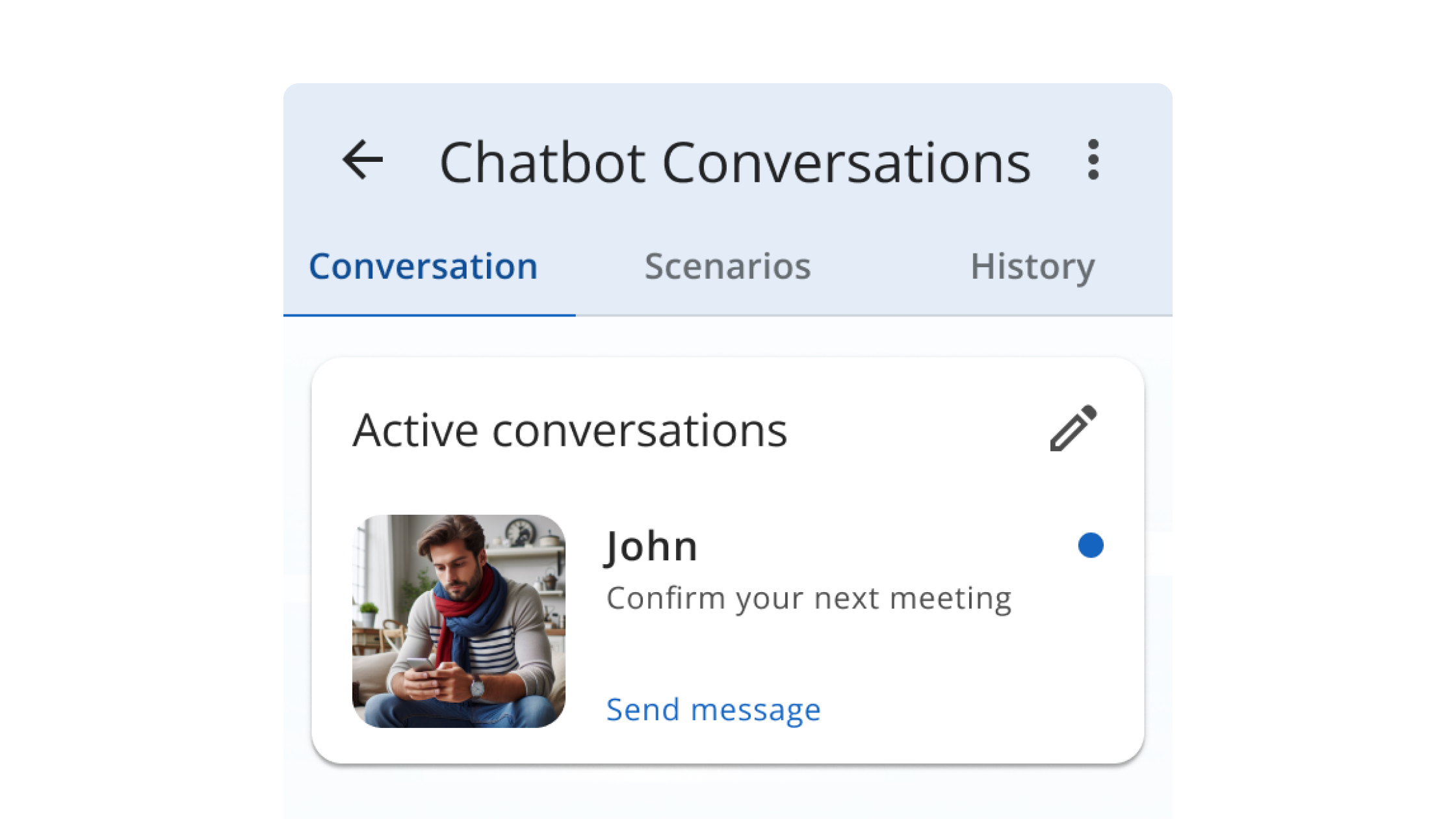
Story-driven, AI-guided dialogue
After reviewing these ideas with the team, we decided to focus on Scenario practice (Direction 1).
Missionaries could repeat scenarios until confident.
Easier to iterate and test as an MVP.
To inform the content of the chatbot, I surveyed 50 missionaries about the types of conversations they found most useful. Their responses grouped into two key categories:
Such as setting up teaching appointments and sharing scriptures.
Ordering food, asking for directions, scheduling appointments.
These two categories directly shaped the types of scenarios included in the first chatbot prototype.
With clear priorities from research and feedback, I designed a scenario-based chatbot with three core features that made practice realistic, adaptive, and easy for beginners.
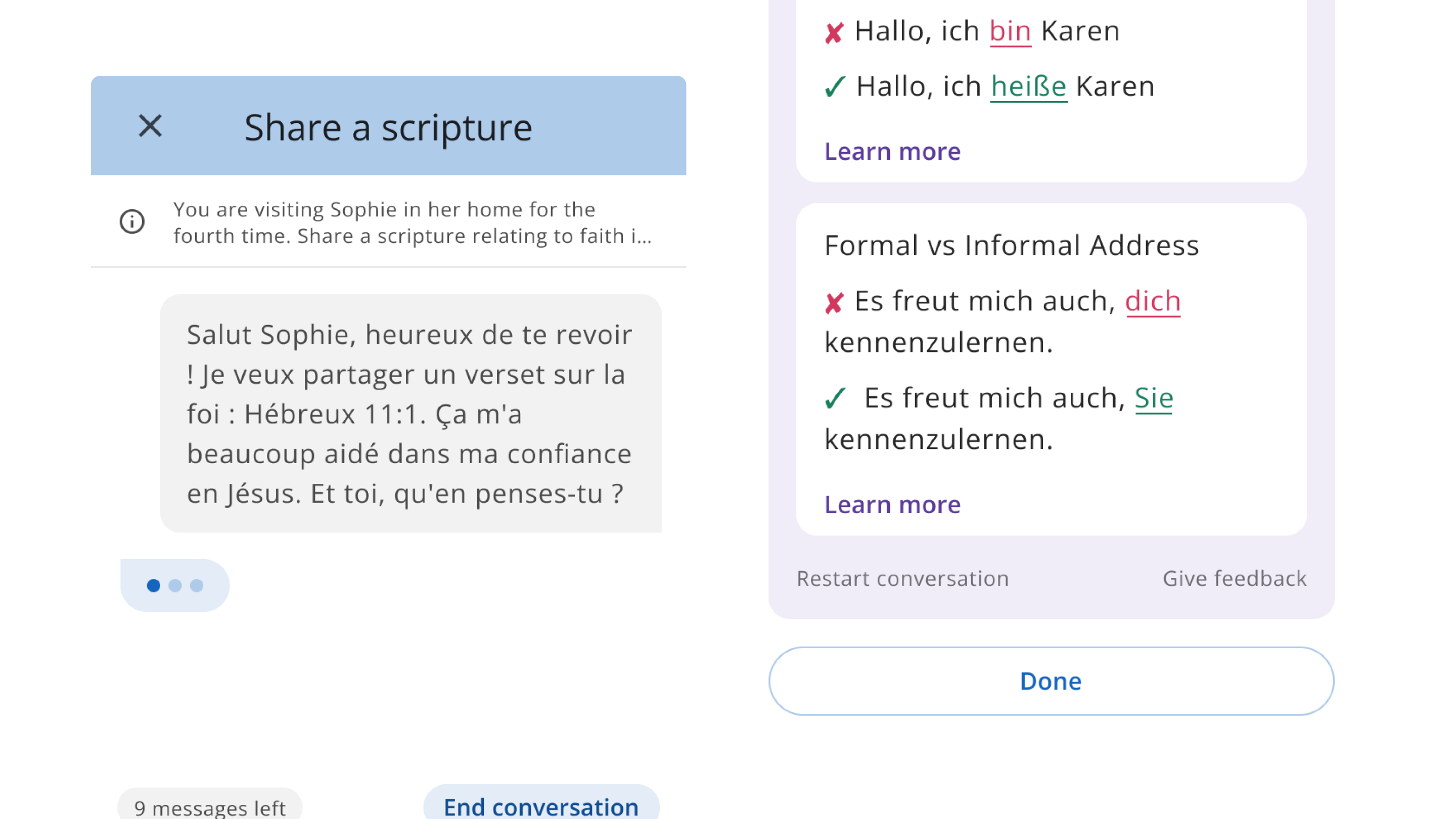
Addressed a core need: missionaries wanted to practice conversations multiple times until they felt fluent. Each scenario could be repeated with slight variations and was personalized by mission location, helping learners gain confidence through realistic, flexible practice.
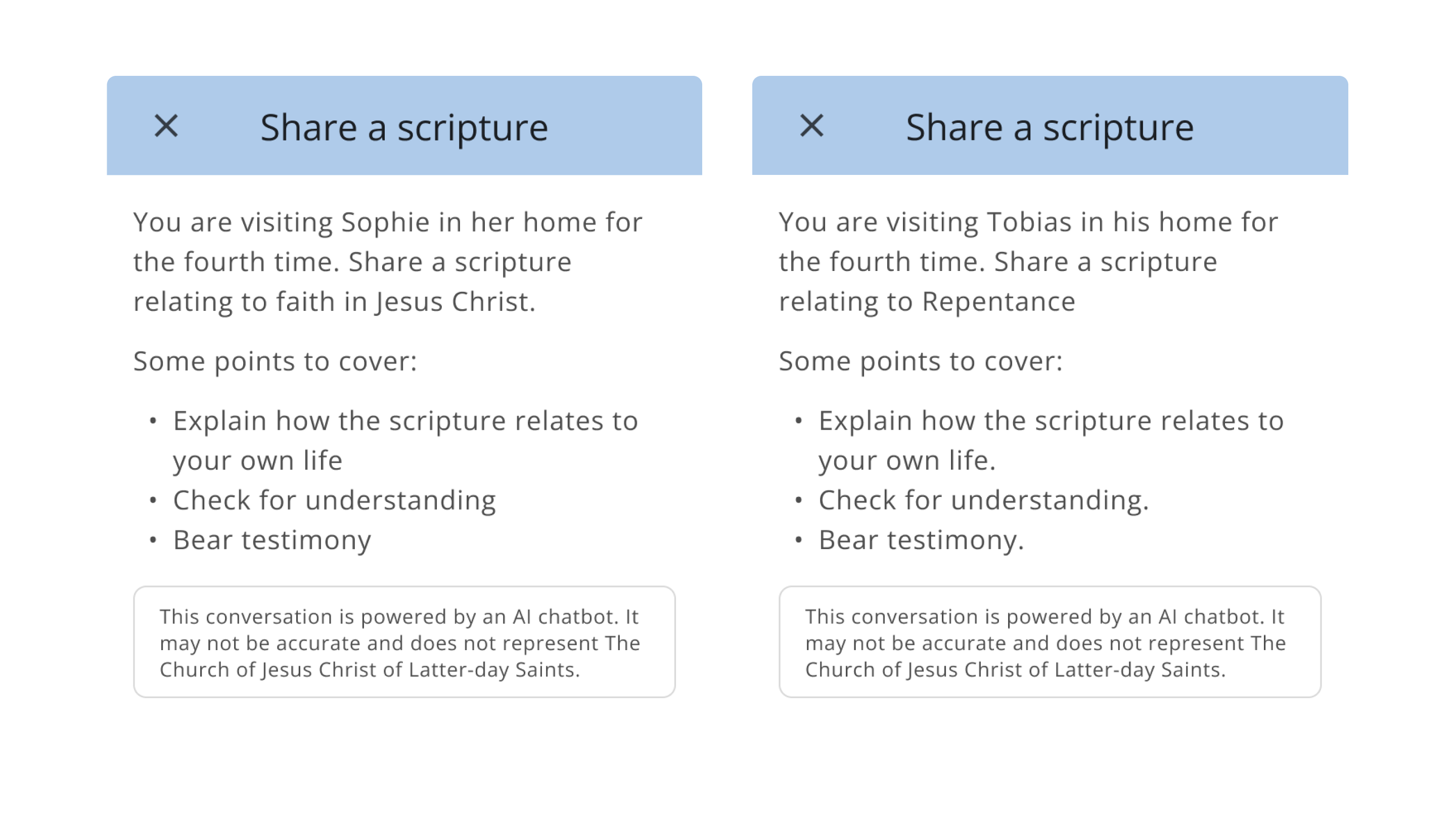
Instant feedback helped users improve without a teacher present. The chatbot did not just correct mistakes; it explained why something was wrong, giving users the clarity and guidance they needed to adjust and progress in real time.
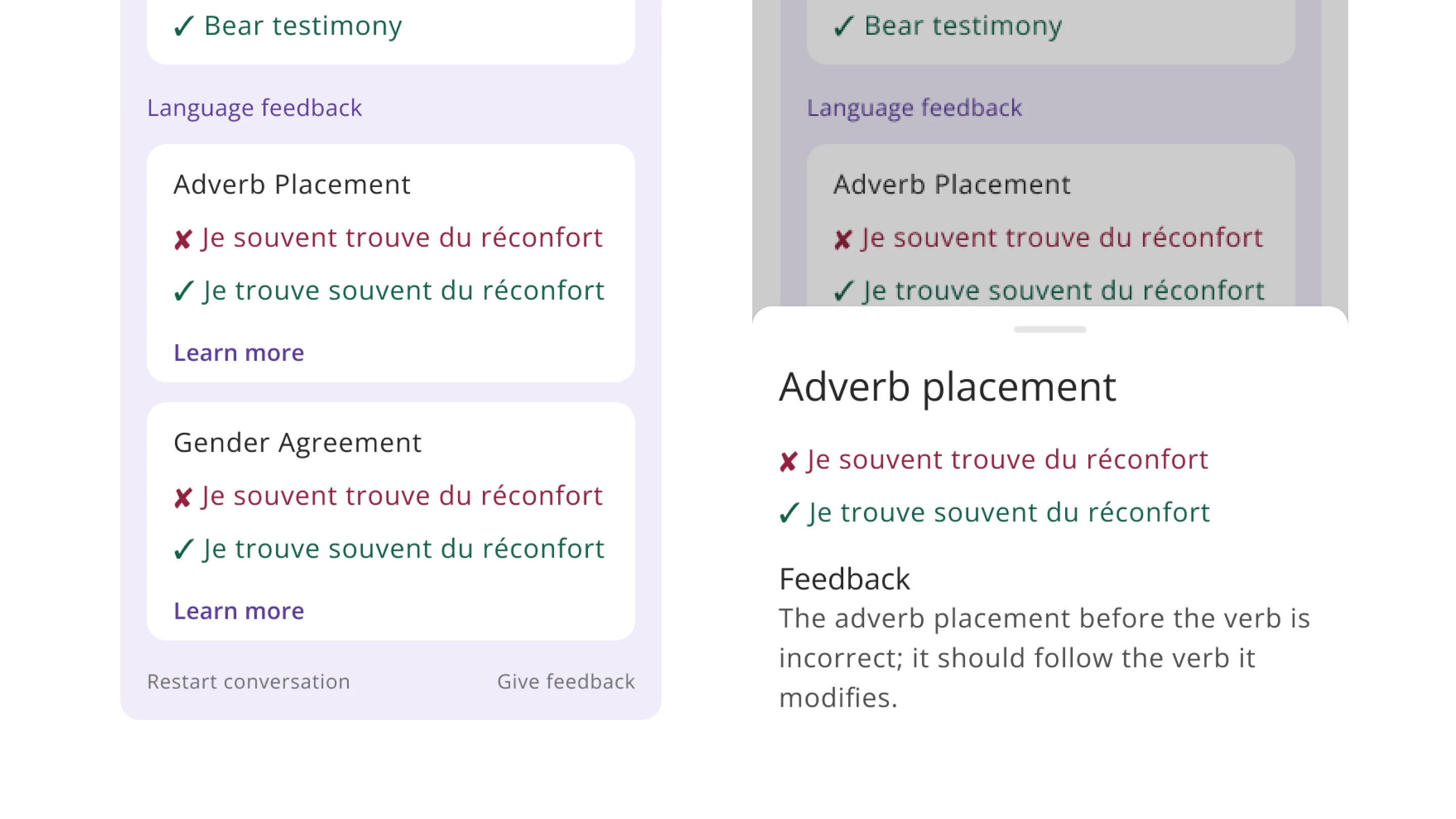
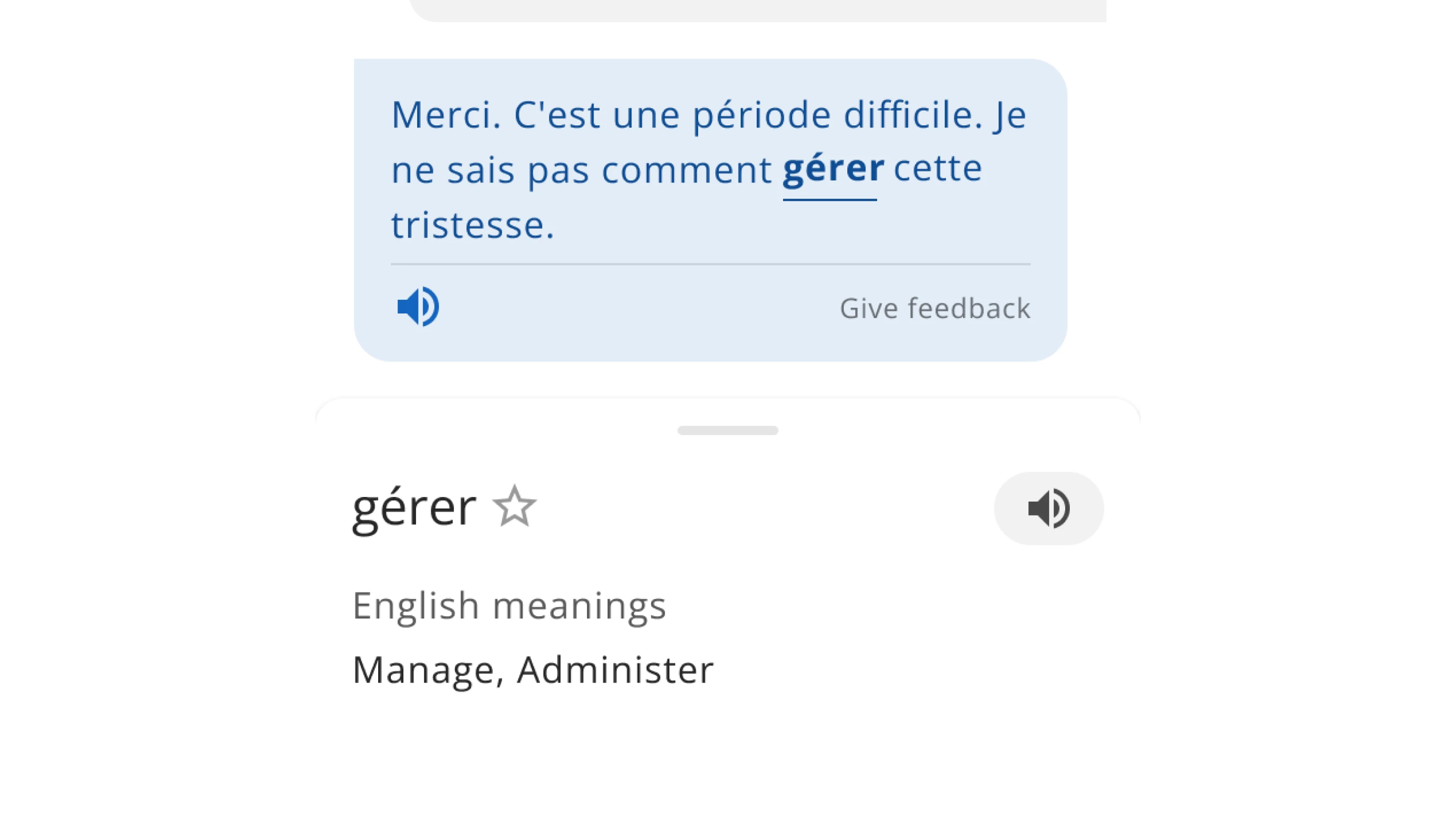
Tap for meaning supported learners when they got stuck on unfamiliar words. Missionaries could tap any word to see a translation and save it for later, keeping the conversation flowing without interruption.
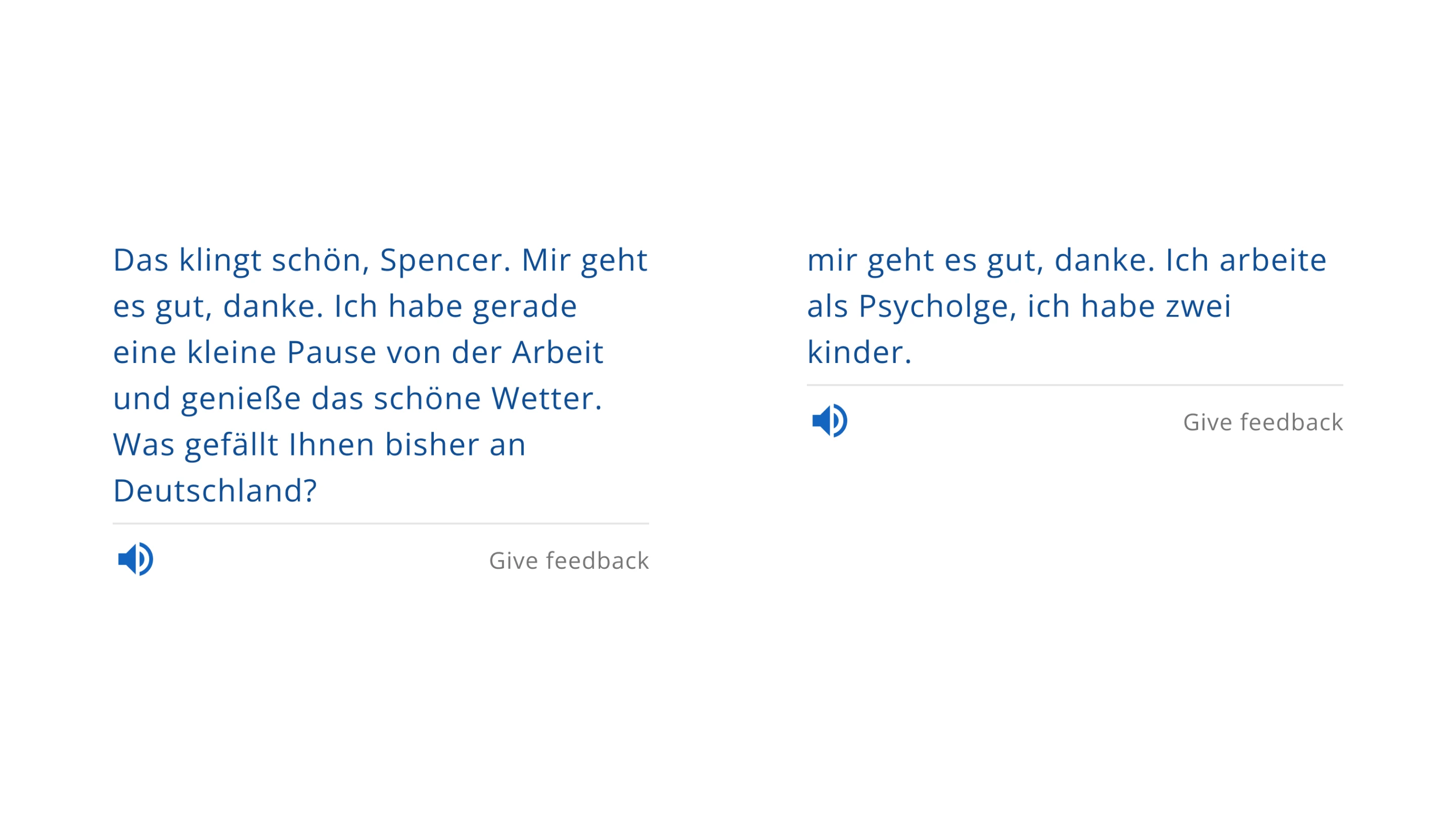
To validate the design early, I tested a working prototype with 12 missionaries at the MTC. Our goal was to observe how new users interacted with the chatbot and identify any usability issues before moving forward.
It was overwhelming for new missionaries
Adding a proficiency feature
To address this, I collaborated with our machine learning engineer to add a “proficiency” feature. This allowed the chatbot to adjust its response complexity based on each user’s language level, making conversations more approachable and easier to complete.
Proficiency levels improved completion rates by 33%
We ran a second test with 12 missionaries and saw a dramatic improvement:
"This feature is great. I like that it does not just say something is wrong, but explains why, so I know how to fix it."
Missionary learning Portuguese
We presented the updated chatbot to stakeholders and received approval for a beta launch in select languages.
We’re now expanding support to more mission language groups and exploring a voice-only mode, allowing missionaries to practice fully spoken conversations without needing a partner.