Audio Complaints Dropped Significantly
User-reported audio issues decreased significantly, boosting trust in the app.
Developed an AI audio feature that resolved complaints and ensured accuracy in 60+ languages.
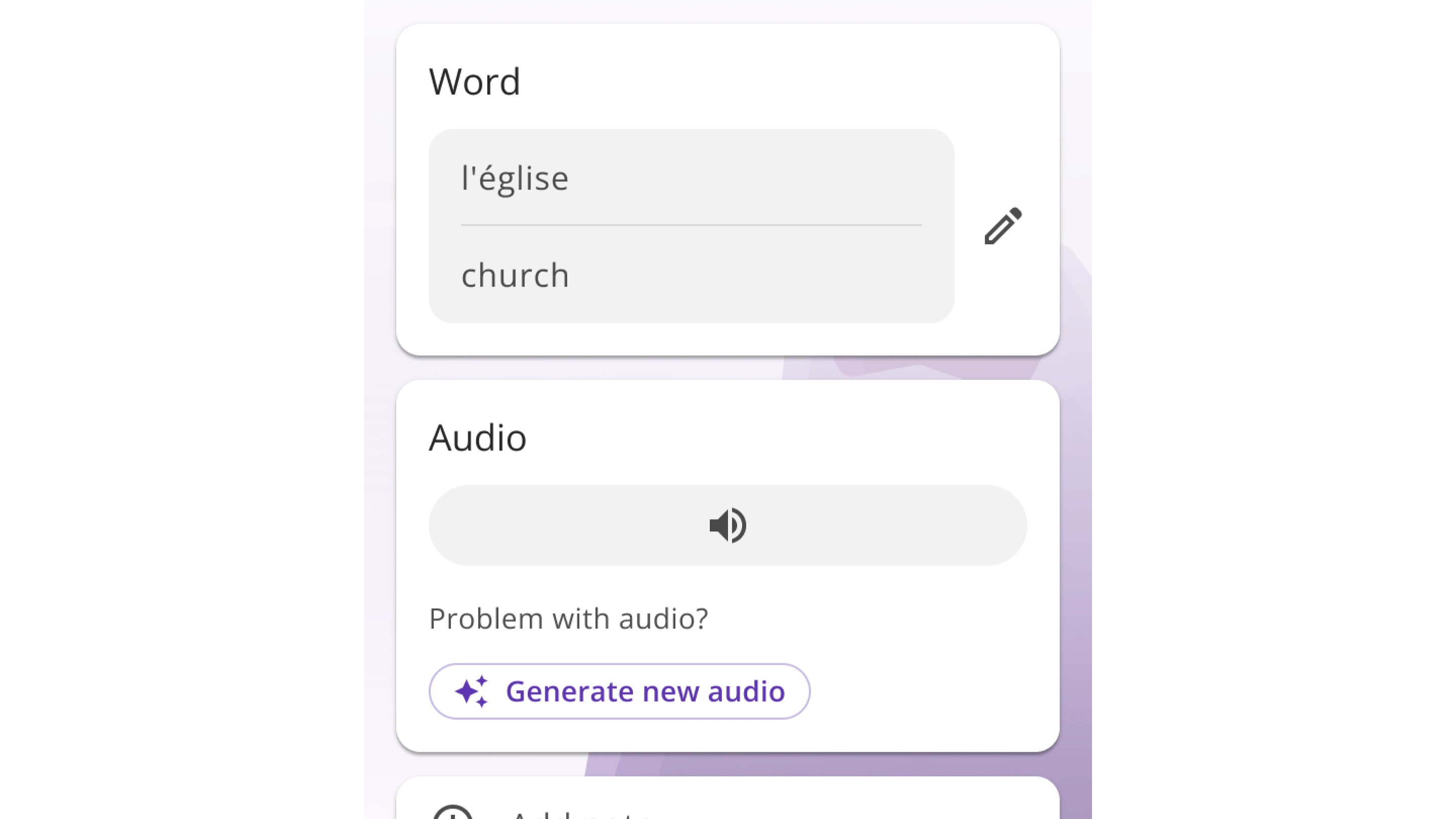
Imagine learning a new language and fixing a typo in the app’s content, only to hear the audio still say the wrong word. This was a common issue in Embark, a language-learning app for missionaries learning to speak in over 60 languages.
To address this problem, I designed an AI-powered audio tool that automatically updates mismatched clips or lets users create a new one with a single tap. This reduced complaints and improved audio accuracy.
User-reported audio issues decreased significantly, boosting trust in the app.
AI ensures text and audio always match across 60+ languages.
In some less-reviewed languages, learners often corrected typos in words and phrases. But even after fixing the text, the original audio stayed the same. This mismatch confused users and led to a spike in support tickets.
Create a way to keep audio and text in sync, even after edits.
I reviewed all audio-related support emails and Jira tickets and found a second, related issue:
Users frequently reported low-quality recordings in some languages. The content team was re-recording audio manually, but this was slow and hard to scale for Embark’s 60+ supported languages.
Both issues pointed to the same need: fast, scalable audio generation that did not rely on human re-recording.
Before committing to a solution, we considered multiple ways to improve audio accuracy after text edits:
Idea 1
Idea 2
After team discussions, I partnered with a developer to test AI audio across multiple languages. The approach delivered fast, high-quality results without needing manual recordings, making it the clear choice over user-recorded audio.
After choosing the AI approach, I designed a way to auto-generate audio when a word was edited, keeping audio and text in sync.
After choosing the AI approach, I designed a way to auto-generate audio when a word was edited, keeping audio and text in sync.
To address the audio quality issue, I also introduced an Audio Card on the word-edit screen so users could manage audio without leaving the flow.
I ran a usability test with 5 missionaries at the MTC. Each participant went through the full process of editing a word and generating new audio.
All 5 successfully completed the tasks without confusion or errors.
All said it clearly fixed the mismatch issue and would be a major improvement.
After successful testing, we launched the AI audio fix across supported languages. The result: cleaner experiences, fewer complaints, and better pronunciation for everyone.
User-reported audio issues dropped significantly, boosting trust in the app.
AI ensures text and audio always match across 60+ languages.